A place for every thought.
Keep notes in tabs. Reorder them, switch between them, or spread your work across windows.
 Notebook.
YOUR EVERYDAY MARKDOWN NOTEBOOK
For the ideas, plans and little things worth keeping. A simple Windows editor that gives your words room to grow.
Download for Windows# A fresh page
Big ideas start small.
A thought. A list.
A sentence you don't want to lose.
Make a little room for
what comes next.
FAMILIAR AT FIRST SIGHT
The ease of a notepad, with the structure of Markdown. Your headings, lists and code blocks stay close at hand.
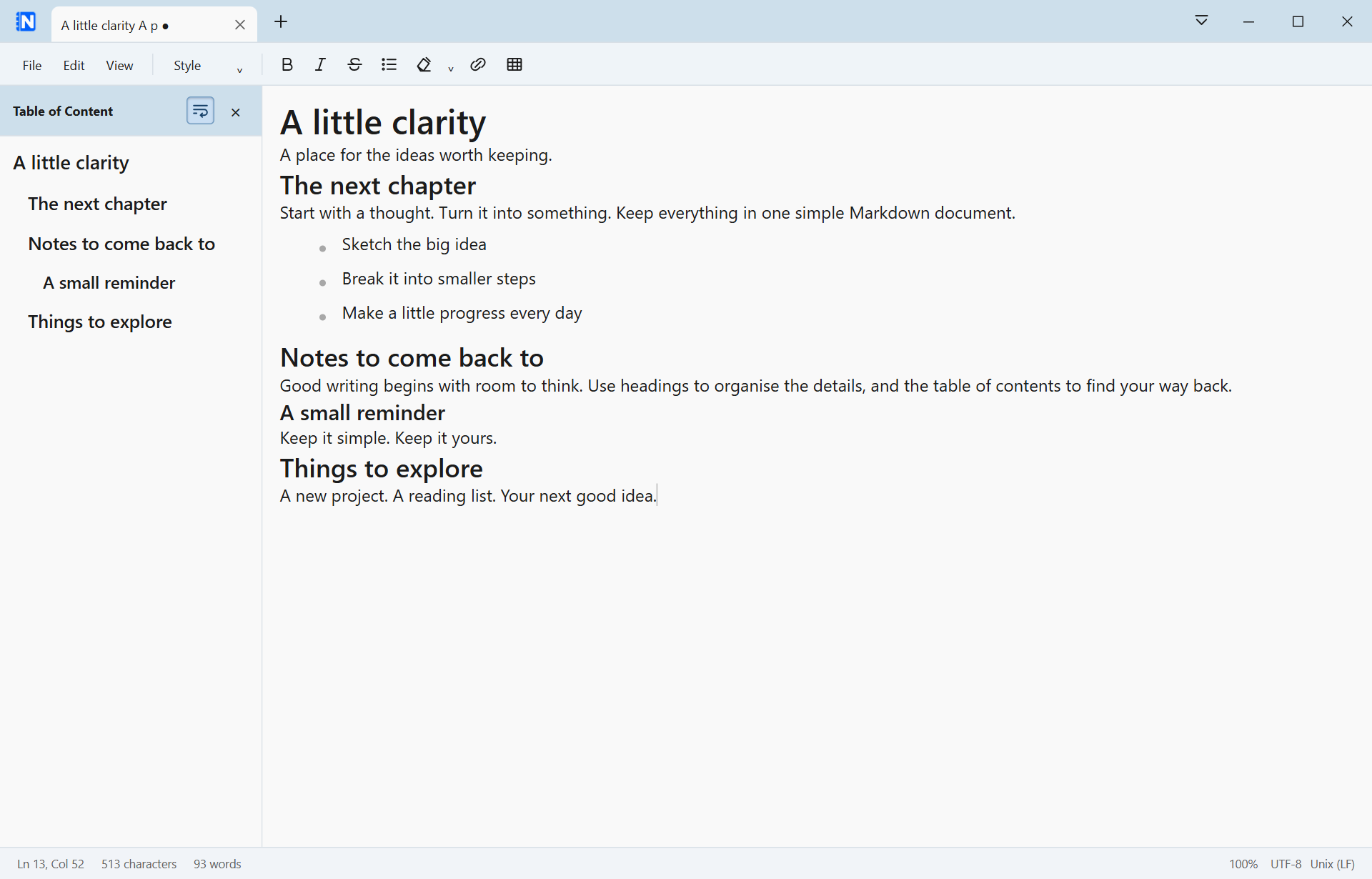
A real view of Notebook. Sample notes shown for illustration.
JUST THE USEFUL THINGS
A notebook should help you stay with the thought. These tools keep the everyday work simple.
Keep notes in tabs. Reorder them, switch between them, or spread your work across windows.
A live table of contents follows your headings. Jump to a section, resize the panel and choose whether headings wrap.
Write with headings, lists, links and tables. Toggle a code block on when you need it, and back to body text when you don't.
Explicit Save writes ordinary Markdown files. Draft recovery keeps a separate local copy of your work in progress.
KEEP YOUR HANDS ON THE KEYS
The familiar shortcuts you already reach for,
plus a few that make Markdown feel at home.
YOUR NEXT IDEA STARTS HERE
Download Notebook and make a little room
for whatever's on your mind.
Setup asks for administrator approval and installs to Program Files.
Upgrading from an AppData installation? Read the installation note.
SHA-256
A FEW GOOD QUESTIONS
This website is the download page. Notebook runs as a desktop application on Windows after installation.
Your saved documents are ordinary Markdown files in the locations you choose. Notebook stores settings and draft recovery separately in your Windows user profile. This release does not provide cloud synchronisation.
Close Notebook and uninstall the earlier per-user version. Leave the option to delete application data unchecked. Then run this installer and approve the administrator prompt. Keep a backup of important notes before changing installations.
This download is for 64-bit Windows. macOS and Linux builds are not available in this release.
Notebook 0.1.12 is an early release. Automated checks and browser checks have passed; full native installation and platform acceptance testing remain pending. Keep copies of important documents.